
Fingerprint and Privacy Guardian
Guard your Identity and Fingerprint with Privacy Guardian
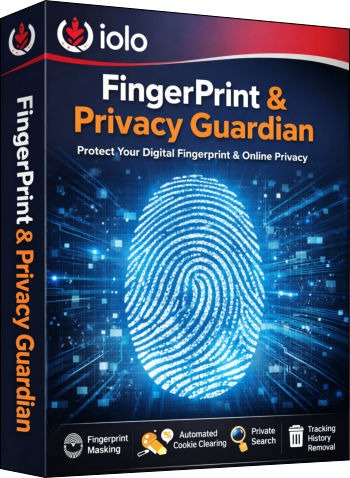
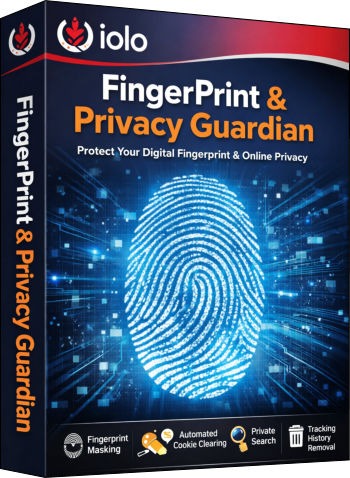
Losing your digital fingerprint and privacy can expose you to relentless tracking, targeted ads, and even identity theft. Every click, search, and scroll leaves behind data that companies use to profile you. But , you can easily shield your fingerprint, clear tracking cookies, and browse privately by locking your digital doors, with a simple, automatic, and powerful tool called Privacy_Guardian. Stay invisible online and take control of your privacy with just one tool.

"Privacy_Guardian from iolo is a beginner-friendly software designed to protect your online identity by blocking digital fingerprinting, automatically clearing cookies, shielding your fingerprint and privacy settings, and removing tracking history. Privacy Guardian is a complete toolkit for anyone who wants to browse safely without being followed by ads or data collectors."
Privacy Guardian
When you first hear about privacy software, it may sound complicated, but iolo’s Privacy Guardian is built to be simple. Think of it as a digital bodyguard that works quietly in the background while you use your computer. It protects you from companies that try to track your habits, collect your information, and sell it to advertisers. For beginners, this means you don’t need to understand every technical detail. Just install Privacy Guardian, and it starts working. The software focuses on blocking hidden tracking methods such as digital fingerprinting, clearing cookies left behind by websites, and providing tools like Private Search and the Privacy Shield to keep your data safe. Over the next sections, we’ll break down each feature in plain language, so you’ll know exactly how it helps you and what you should do (and avoid) to stay private online.
Digital Fingerprinting Protection
Digital fingerprinting is one of the sneakiest ways websites identify you. It is not just your fingerprint. Even if you clear cookies or use incognito mode, your device’s unique details, like screen size, browser type, and fonts installed, can be combined to create a “fingerprint.” Privacy Guardian blocks these attempts, making it harder for companies to recognize you. Imagine walking into a store wearing a mask so nobody knows it’s you. That’s what fingerprint protection does online.
Do: Always keep this feature turned on, update your browser regularly, and avoid installing unnecessary plugins that add to your fingerprint.
Do Not: Don’t assume incognito mode alone can protect you; it doesn’t. Don’t share personal details on suspicious websites, because fingerprint protection can’t stop you from giving away information directly.
Automated Cookie Clearance
Cookies are small files that websites leave on your computer to remember your activity, the next time you visit the same website. Some are useful (like keeping you logged in), but many are used to track your browsing habits. Privacy Guardian automatically clears these cookies, so you don’t have to worry about them piling up. For beginners, think of cookies as crumbs left behind after eating; if you don’t clean them, someone can follow your trail.
Do: Let the software clear cookies regularly, and whitelist only trusted sites where you want cookies (like your bank or email).
Do Not: Don’t disable cookie clearance completely, because trackers thrive on leftover cookies.
Advanced Whitelisting
Sometimes you want certain websites to remember your preferences, for example, your favorite shopping site or online banking. Privacy Guardian lets you whitelist trusted sites so they are not affected by cookie clearance or fingerprint blocking. Beginners should use this carefully: whitelist only sites you trust 100%.
Do: Add only secure, HTTPS websites to your whitelist.
Do Not: Don’t whitelist random sites just for convenience, because that opens the door to tracking.
Privacy Shield
Windows systems often collect data about your usage and send it back to Microsoft. Privacy Shield disables aggressive data-collection settings, giving you more control. Beginners should think of this as closing the blinds in your house; your computer stops “reporting” what you’re doing.
Do: Keep Privacy Guardian active, especially if you are using Windows 10 or 11.
Do Not: Don’t turn off Privacy Guardian unless you are troubleshooting with a trusted technician.
Private Search
Most search engines track your queries to build advertising profiles. Privacy Guardian offers a private search that doesn’t log your history or sell it to advertisers. Beginners can think of this as asking questions in a library where nobody writes down what you asked.
Do: Use private search for sensitive queries like health or finance.
Do Not: Don’t rely on private search alone. Combine it with fingerprint protection for full privacy.
Tracking History Removal
Web browsers store traces of your activity, visited sites, cached files, and more. Privacy Guardian deletes these automatically, so that nobody can snoop. Beginners should see this as shredding old receipts so nobody knows what you bought.
Do: Schedule regular history removal.
Do Not: Don’t keep long browsing histories, especially on shared computers.
General Do’s and Don’ts to Safeguard Your Privacy
Do’s:
Use strong, unique passwords.
Keep software updated.
Use VPNs or Virtual Private Networks for extra protection.
Be mindful of what you share on social media.
Don’ts:
Don’t click suspicious links.
Don’t reuse passwords across sites.
Don’t assume free Wi-Fi is safe.
Don’t ignore privacy settings in apps.
Final Words on FingerPrint and Privacy
iolo’s Privacy Guardian is like a safety net. It quietly blocks trackers, clears cookies, and shields your computer from unwanted data collection. By following the Do’s and Don’ts given above, you can strengthen your fingerprint and privacy even further. Remember, privacy isn’t about hiding. It is about controlling who sees your information. With Privacy Guardian, you take back that control.
SystemMechanic VPN Drivers RegistryCleaner DefragmentHDD RunWindows_on_Mac Email_Marketing Windows_11
Home Sitemap Privacy Terms Disclaimer
© 2026. All rights reserved.