
Securely Wipe Hard Disk to Prevent Identity Theft
Securely wipe hard disk before recycling. It is essential to prevent identity theft and protect sensitive data. iolo System Mechanic ensures thorough drive scrubbing, making deleted files permanently unrecoverable. Safeguard your privacy and security.
SYSTEM MECHANIC
3/2/20265 min read
How to Securely Wipe a Hard Disk
Securely wiping a hard disk before recycling prevents identity theft and protects your sensitive data from unauthorized recovery. Iolo System Mechanic helps by thoroughly scrubbing drives, ensuring deleted files are permanently erased and unrecoverable, safeguarding privacy and security. We recommend Iolo System_Mechanic to Securely Wipe Hard Disk.

Why to Securely Wipe Hard Disk Wiping
When you use a Computer, every file you create, download, or delete leaves traces on your hard disk. Even when you “delete” a file, it often remains recoverable with specialized tools. This means sensitive information, like your financial records, login credentials, or personal documents, can still be accessed if your computer or its hard disk falls into the wrong hands. So, you must securely wipe your hard disk to ensure that all data is permanently erased and unrecoverable before you send your hard disk, or computer / Laptop, to be recycled. System Mechanic is a trusted PC Optimization and Security software that provides tools to securely wipe hard disk safely. Understanding why to securely wipe hard disk is the first step toward protecting yourself from identity theft and data loss.
The Fallout of Identity Theft
Identity theft is not just a technical issue. It is a deeply personal violation. When someone gains access to your private data stored on your PC or hard disk, they can impersonate you, open fraudulent accounts, drain your bank balance, or even commit crimes in your name. Victims often spend months or years untangling the mess, dealing with credit bureaus, banks, and law enforcement. The emotional toll is equally heavy: anxiety, mistrust, and fear of future breaches. By securely wiping your hard disk before selling, donating, or recycling your computer, you eliminate the risk of leaving behind digital footprints that criminals can exploit.
The Consequences of Data Loss
Data loss can occur when sensitive files are stolen, corrupted, accidentally exposed, or recovered from a hard disk you sent to recycling. For individuals, this might mean losing cherished photos, personal projects, or financial records. For businesses, the stakes are even higher. Data loss can lead to regulatory fines, reputational damage, and loss of customer trust. We recommend you back up your data to Cloud_Backup to prevent data loss. Imagine a company laptop being discarded without wiping data still on the hard disk: confidential client information could be retrieved, leading to lawsuits and financial ruin. To securely wipe hard disk is not just about protecting yourself; it is about safeguarding everyone whose information you have stored.
Use Iolo System Mechanic to Securely Wipe Hard Disk
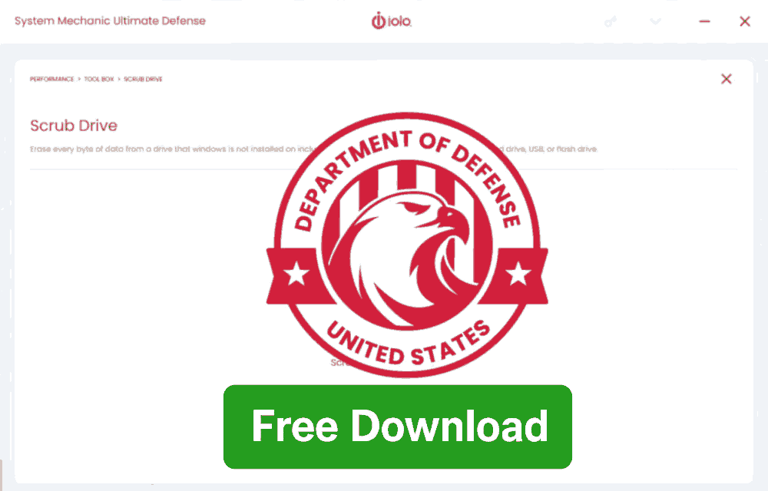
System Mechanic is more than just a Performance Booster; it includes advanced security features designed to protect your privacy. Unlike simple deletion or formatting, System Mechanic’s “DriveScrubber” tool, which is military grade, overwrites data multiple times, making data recovery virtually impossible. This method of securely wipe hard disk aligns with industry standards for securely wipe hard disk so that even forensic-level recovery tools cannot retrieve your files. Using System Mechanic simplifies the process: instead of juggling complicated command-line tools, you get a user-friendly interface with clear instructions.
Preparing to Securely Wipe Hard Disk
Before you securely wipe hard disk, preparation is essential. First, back up any files you want to keep, like your photos, documents, or software licenses, onto an external drive or cloud storage. Once the wipe begins, recovery is impossible, so double-check your backups. Next, ensure your computer is plugged into a power source; interruptions during the wipe can cause errors and may even corrupt your hard disk. Finally, download and install System Mechanic's latest version, updated with the newest security patches. This preparation ensures a smooth, error-free process.
Step-by-Step Procedure to Securely Wipe Hard Disk Using System Mechanic
Launch System Mechanic: Open the software from your desktop or start menu.
Navigate to DriveScrubber: Within the tools menu, locate “DriveScrubber,” the secure wiping utility.
Select the Drive: Choose the hard disk you want to wipe. Be cautious because selecting the wrong drive could erase important data.
Choose Wipe Method: System Mechanic offers multiple overwrite options. For maximum security, select a multi-pass overwrite (e.g., 7-pass or 35-pass).
Confirm Your Choice: The software will warn you that the process is irreversible. Confirm only after ensuring backups are complete.
Securely Wipe Hard Disk: Start the process and allow it to run uninterrupted. Depending on drive size, this may take hours.
Completion: Once finished, System Mechanic will notify you. Your hard disk is now securely wiped and safe for resale or disposal.
Understanding Data Overwrite Methods
Overwrite methods determine how thoroughly your data is erased. A single-pass overwrite replaces existing data with random characters once, making casual recovery difficult. Multi-pass overwrites repeat this process several times, ensuring even advanced recovery tools fail. Think of it like painting over graffiti: one coat may hide it, but multiple coats guarantee it’s gone. System Mechanic lets you choose the level of security based on your needs. Like using quick wipes for personal use, or deep wipes for sensitive corporate data.
Common Mistakes to Avoid
Many people make mistakes when attempting to securely wipe hard disks. One common error is assuming that formatting the drive is enough. In reality, formatting only erases the file index, not the files themselves. Another mistake people make is failing to back up important data before they securely wipe hard disks; once erased, recovery is impossible. Some users also interrupt the process midway, leading to incomplete wipes. With System Mechanic, following the step-by-step procedure carefully prevents these pitfalls and ensures that you securely wipe hard disk every time.
When to Wipe Your Hard Disk
Understanding when you should securely wipe hard disks. It isn’t just for when you’re selling your computer. You should also wipe your hard disk when:
When you plan to recycle or donate your old PC.
When you replace a hard drive with a new one.
Decommissioning company PC or Laptops.
After a Malware infection and recovery, you must securely wipe hard disks to ensure that no hidden files remain.
By making secure wiping a routine practice, you protect yourself and others from unintended data theft and identity exposure. Think of it as digital hygiene. Just as you shred sensitive paper documents, you should securely wipe hard disks to erase digital documents.
The Human Side of Digital Security
To securely wipe hard disk is a technical task. But at its core, to securely wipe hard disks is all about protecting people. Behind every file are human stories, family photos, personal letters, medical records, or business contracts. Losing control of that information can hurt relationships, reputations, and livelihoods. By learning how to securely wipe hard disks, you’re not just mastering a technical skill. You are taking responsibility for safeguarding your own digital identity and respecting the privacy of others.
Securely Wipe Hard Disk: Final Words
Securely wipe hard disks easily with System_Mechanic. It is a straightforward but powerful way to Prevent Identity Theft and Data Loss. The fallout of neglecting this step can be devastating, both emotionally and financially. By preparing properly, following the exact procedure, and understanding the importance of overwrite methods, you can confidently protect yourself. Remember: digital security is not optional. It is a necessity in today’s connected world. Treat your data with the same care you’d give to your most valuable possessions, because in many ways, it is.
SystemMechanic VPN Drivers RegistryCleaner DefragmentHDD RunWindows_on_Mac Email_Marketing Windows_11
Home Sitemap Privacy Terms Disclaimer
© 2026. All rights reserved.