
Boost PC Performance with iolo System Mechanic Ultimate Defense
Instantly repair and enhance your PC performance with iolo System Mechanic Ultimate Defense. This all-in-one suite optimizes startup, cleans junk files, fixes registry errors, and much more.
SYSTEM MECHANIC
7 min read
iolo System Mechanic Ultimate Defense
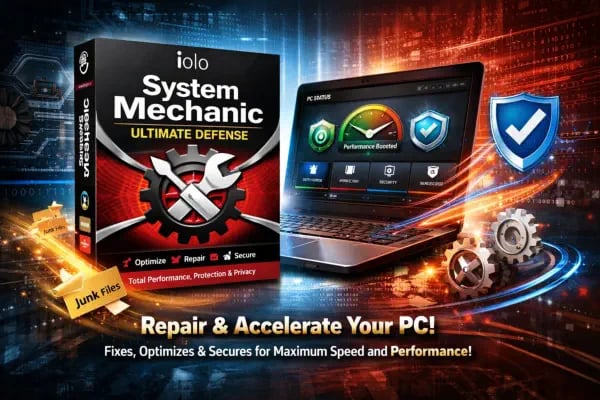
Repair and Accelerate Your PC Performance instantly using iolo System Mechanic Ultimate Defense, a powerful all-in-one Suite that repairs system issues, removes bloat, optimizes startup, and even protects against Malware. It cleans junk files, fixes registry errors, and Speeds up performance, delivering faster boot times, smoother multitasking, and a more responsive, and Secure Computing experience every day consistently. It is like having many computer experts always at home, who are constantly fixing your PC in real time.
Watch video below on what all iolo System Mechanic Ultimate Defense can do for you

iolo System Mechanic Ultimate Defense
In today’s digital world, your computer is more than just a machine—it stores your memories, work files, passwords, and personal identity. Unfortunately, it’s also constantly exposed to threats like viruses, hackers, slow performance, and data loss. That’s where iolo System Mechanic Ultimate Defense comes in. This all-in-one software suite is designed to protect, optimize, and repair your PC without requiring advanced technical knowledge. Unlike basic antivirus programs, this software combines performance optimization, privacy protection, password management, anti-malware protection, and file recovery into one dashboard. Imagine your computer as a car. Over time, it slows down, accumulates junk, and becomes vulnerable. System Mechanic acts like a professional mechanic, cleaning, repairing, and protecting everything automatically. This guide will walk you through each feature in simple terms, showing you how to use them effectively, even if you have never used any PC optimization software before.
Why You Need an All-in-One PC Tool
Most beginners rely on multiple apps, for example, one for antivirus, another for cleaning, and yet another for passwords. This creates confusion and often leaves gaps in protection. iolo System Mechanic Ultimate Defense solves this by combining everything into one easy interface. For example, imagine downloading an antivirus, then separately using a cleanup tool. You might forget to run one of them regularly. With this software, everything works together automatically. A real-world case: A student using multiple tools forgot to update their antivirus. Malware entered through a browser download and slowed their laptop drastically. With iolo System Mechanic Ultimate Defense, its real-time protection would have blocked the threat instantly. The biggest advantage is simplicity. Instead of learning five different tools, you learn one dashboard that handles performance, security, and privacy together.
Getting Started with iolo System Mechanic Ultimate Defense
Installing System Mechanic Ultimate Defense is straightforward. After downloading the software, simply run the installer and enter your activation key. Make sure you remove any existing antivirus software to avoid conflicts. Once installed, open the dashboard and click “Analyze Now.” This performs a full scan of your Computer system and identifies issues like junk files, security risks, and performance problems. This is the best starting point. You don’t need to understand every feature immediately; the System Mechanic Ultimate Defense software shows you what’s wrong and suggests fixes. Here is a real-world example: A beginner installs the System Mechanic Ultimate Defense and runs the first scan. It detects 5 GB of junk files, startup delays, and outdated settings. With one click on “Repair,” the Computer system becomes noticeably faster within minutes.
System Mechanic Smart ActiveCare: Automatic PC Maintenance
One of the most powerful features of iolo System Mechanic Ultimate Defense is Smart ActiveCare, which automatically scans and fixes issues when your computer is idle. Think of it as a silent assistant working behind the scenes. You don’t need to remember to clean or optimize your PC; it happens automatically. For example, if you leave your laptop 'ON' overnight, ActiveCare runs quietly, removing junk files, fixing errors, and optimizing performance. By morning, your system feels refreshed. This is especially useful for busy users who don’t want to manually maintain their Computer. Instead of waiting for problems to pile up, the software prevents them before they become noticeable. This feature alone can save hours of manual work and eliminate the stress of maintenance.
System Mechanic Deep Cleaning to Remove Junk Files
Over time, your PC collects unnecessary files like temporary data, cache, and leftover installation files. These slow down your computer performance significantly. iolo System Mechanic Ultimate Defense’s cleaning tools remove these files safely, freeing up space and improving speed.
How to use it: Go to the dashboard → click “Analyze” → review results → click “Repair.”
Let us take a real-world example: A user notices their laptop is slow and storage is full. After running the Cleanup, 10 GB of junk is removed, and the system starts running more smoothly. This is like cleaning a cluttered room. Once the clutter is gone, everything works better and feels faster.
System Mechanic NetBooster Increases Internet Speed
Slow internet isn’t always your provider’s fault. Sometimes your Computer system settings limit speed. iolo System Mechanic Ultimate Defense has NetBooster, which optimizes hidden settings to improve your internet connection performance.
How to use: Open NetBooster → run optimization → restart your browser.
Here is a real-world example: A gamer experiencing lag in gameplay runs NetBooster. After optimization, their ping drops, and gameplay becomes smoother. This feature is particularly useful for streaming, gaming, and video calls.
Memory Optimization with Memory Mechanic
Your computer’s RAM can get overloaded by background apps. Memory Mechanic in iolo System Mechanic Ultimate Defense frees up unused memory, making your system faster.
How to use: Click Memory Mechanic → Run Optimization.
You open multiple browser tabs and apps, and your PC slows down. At this time if you run Memory Mechanic in iolo System Mechanic Ultimate Defense, it clears all unused processes, instantly improving performance. It’s like clearing your desk to focus better.
Startup Optimizer for Faster Boot
Many programs start automatically when your PC boots, slowing it down. Startup Optimizer in iolo System Mechanic Ultimate Defense lets you control which apps run at startup.
How to use: Go to Startup Optimizer → disable unnecessary programs.
For example, a laptop takes 3 minutes to start. After disabling unnecessary apps, the startup time drops to under 25 seconds. This is one of the easiest ways to speed up your PC.
Real-Time Antivirus Protection
System Shield in iolo System Mechanic Ultimate Defense provides real-time antivirus protection against malware, viruses, and ransomware. Unlike manual scans, this feature constantly monitors your system. For example, you download a file from the internet. If it contains malware, System Mechanic System Shield blocks it instantly before it can harm your PC. This gives peace of mind, especially for beginners who may accidentally click unsafe links.
Malware Removal with Malware Killer
If your system is already infected, Malware Killer in iolo System Mechanic Ultimate Defense scans and removes threats.
How to use: Open Malware Killer → run scan → remove threats.
For example, a user notices pop-ups and slow performance. Malware Killer detects hidden spyware that is causing the PC slow down and removes it, restoring normal function. This is essential for recovering compromised systems.
Privacy Protection with Privacy Guardian
Your online activity is constantly tracked by websites and advertisers. iolo System Mechanic Ultimate Defense has Privacy Guardian, which can block tracking and protect your data. For example, after enabling privacy protection, targeted ads decrease, and browsing becomes more secure. This feature is especially useful for protecting sensitive information like banking details.
Password Management with ByePass in System Mechanic
Managing passwords is difficult process, especially if you use multiple accounts. ByePass is the Password management tool in iolo System Mechanic Ultimate Defense that securely stores and autofills passwords. For example, instead of remembering 20 to 50 individual passwords for each of your emails, websites, etc, you only remember one master password for ByePass. The System Mechanic ByePass software handles the rest securely. This reduces the risk of weak or reused passwords.
File Recovery with System Mechanic Search and Recover
Accidentally deleting files can be stressful. This feature helps recover lost data. For example, you deleted important photos by mistake. Using the recovery file tool available in iolo System Mechanic Ultimate Defense, you can easily restore them in minutes. It acts as a safety net for your files.
Secure File Deletion with DriveScrubber in System Mechanic
You may be aware that by simply deleting files, they don't get removed permanently. Windows only removes its address from the registry. But the file physically remains on your hard disk. DriveScrubber in iolo System Mechanic Ultimate Defense securely erases data beyond recovery. For example, before selling your laptop, you must wipe your data on your hard disk completely, ensuring no one can recover your files and your sensitive personal information. This is crucial for privacy and security.
System Mechanic Network Scanner for Device Monitoring
This feature scans your network to detect connected devices. For example, you notice an unknown device connected to your Wi-Fi. You can take action to remove the unknown device and secure your network using System Mechanic. This helps prevent unauthorized access.
Program Accelerator for Faster Apps
Program Accelerator in iolo System Mechanic Ultimate Defense improves the speed of frequently used applications. For example, your browser or editing software loads faster after optimization. This is useful for productivity and multitasking.
System Mechanic Has Security Optimizer for System Safety
The Security Optimizer tool in iolo System Mechanic Ultimate Defense checks for vulnerabilities in your system settings and fixes them. For example, it identifies outdated security settings and updates them automatically, reducing risk. It’s like locking all doors and windows in your house.
Whole Home Protection
One license covers multiple devices in your home, protecting your entire network. For example, you install iolo System Mechanic Ultimate Defense on your laptop, desktop, and family PCs without extra cost. This makes it cost-effective for families.
System Mechanic Ease of Use for Beginners
The dashboard is designed for simplicity. Even non-technical users can navigate easily. Everything is clearly labeled, and most actions require just one click. For example, a beginner runs a scan and clicks “Repair”. That is all to fix all the computer issues and speed up performance. No technical knowledge needed. This makes it ideal for anyone new to PC maintenance.
Is iolo System Mechanic Ultimate Defense Worth It?
iolo System Mechanic Ultimate Defense is more than just a utility. It is a complete Computer repair solution for performance, security, and privacy. With features like automatic maintenance, antivirus protection, and password management, it simplifies PC care for everyone. In real-world use, System Mechanic Ultimate Defense saves time, improves speed, and reduces risks. Whether you’re a student, professional, or casual user, it provides everything needed to keep your computer running smoothly. If you want a simple, all-in-one tool that handles everything from cleaning to protection, this software is a strong choice.
SystemMechanic VPN Drivers RegistryCleaner DefragmentHDD RunWindows_on_Mac Email_Marketing Windows_11
Home Sitemap Privacy Terms Disclaimer
© 2026. All rights reserved.